
Layers and pattern repeat
Patchwork lets you separate a motif into layers, hide or dim each one, and then scale that single unit into a repeat that fills the canvas.
A repeat pattern gets easier to control when the drawing is split into parts. Instead of treating the motif as a single flat object, layers let you isolate structure, accents, and background so each decision stays editable on its own.
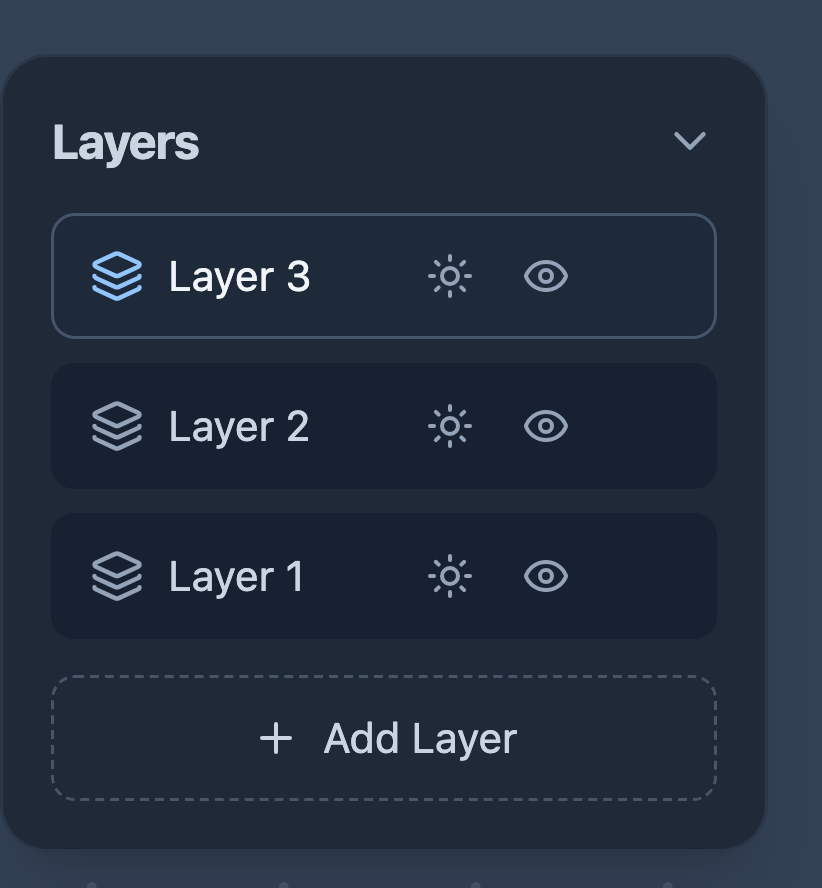
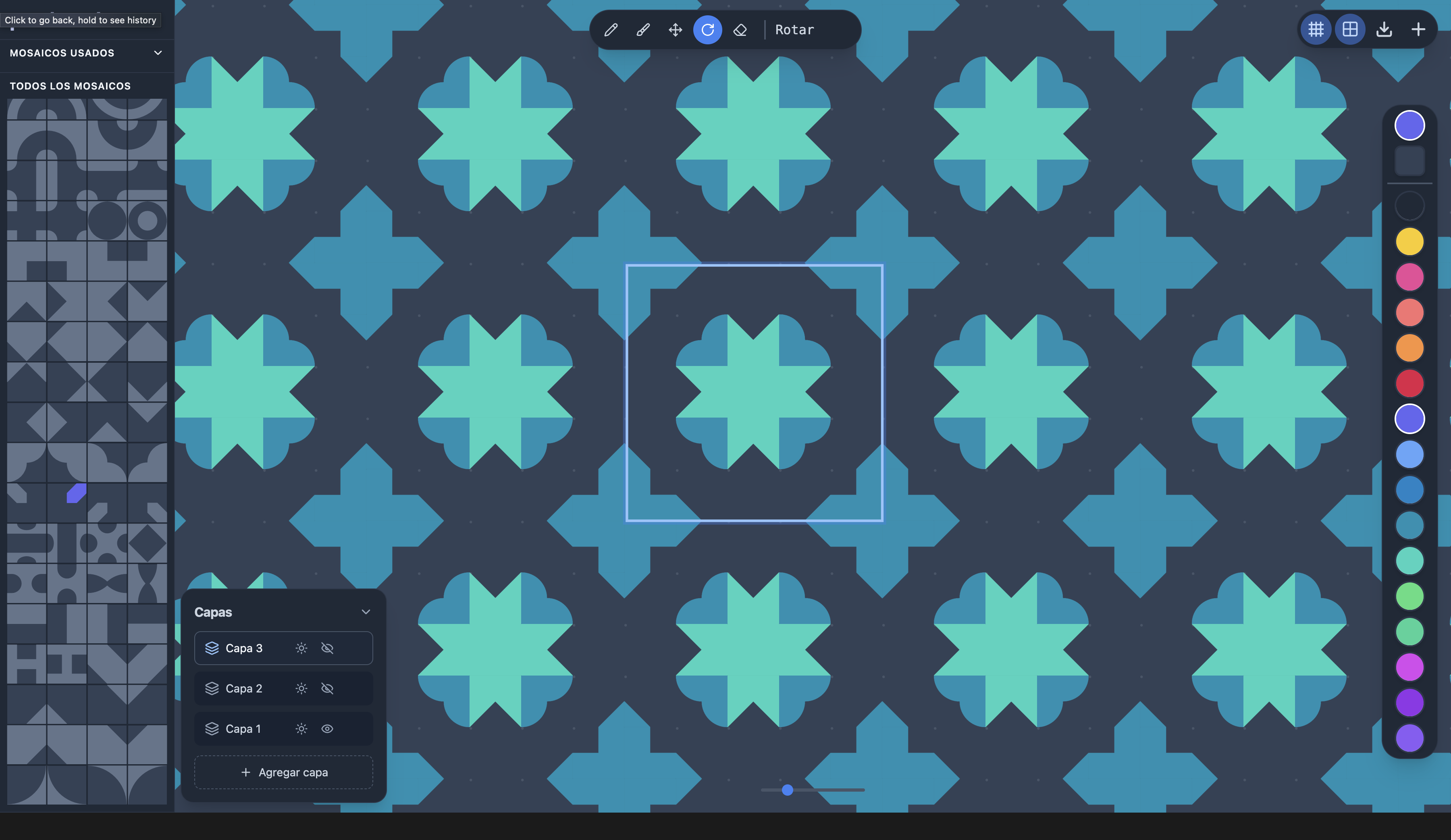
The layers panel gives every layer two controls: an eye to hide it completely, and a sun to dim it so it fades into the background without disappearing. One layer is always the active one, and tools like Move, Rotate, Paint, and Delete only act on that layer — so you can edit the structure without touching the accents stacked above it.
1. Build the motif as stacked layers
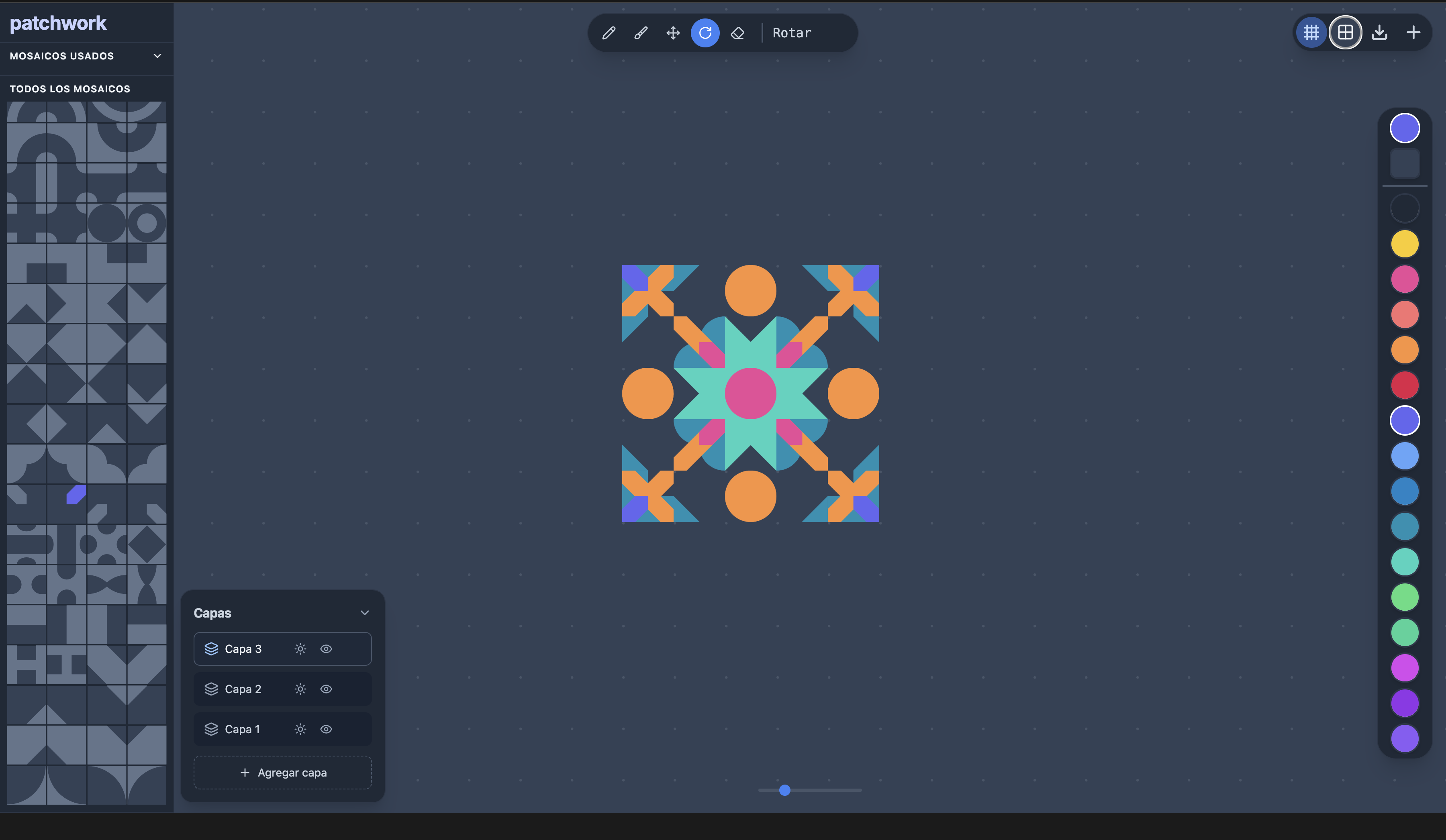
The first image shows a single unit in the center of the canvas with the layers panel open. This is the right scale for composition work: the motif is still small enough to reason about, but complete enough to test color balance, rotational symmetry, and how the corners will connect once the drawing repeats. Selecting a layer makes it active, and from that point every edit lands only there.
2. Repeat the unit across the grid
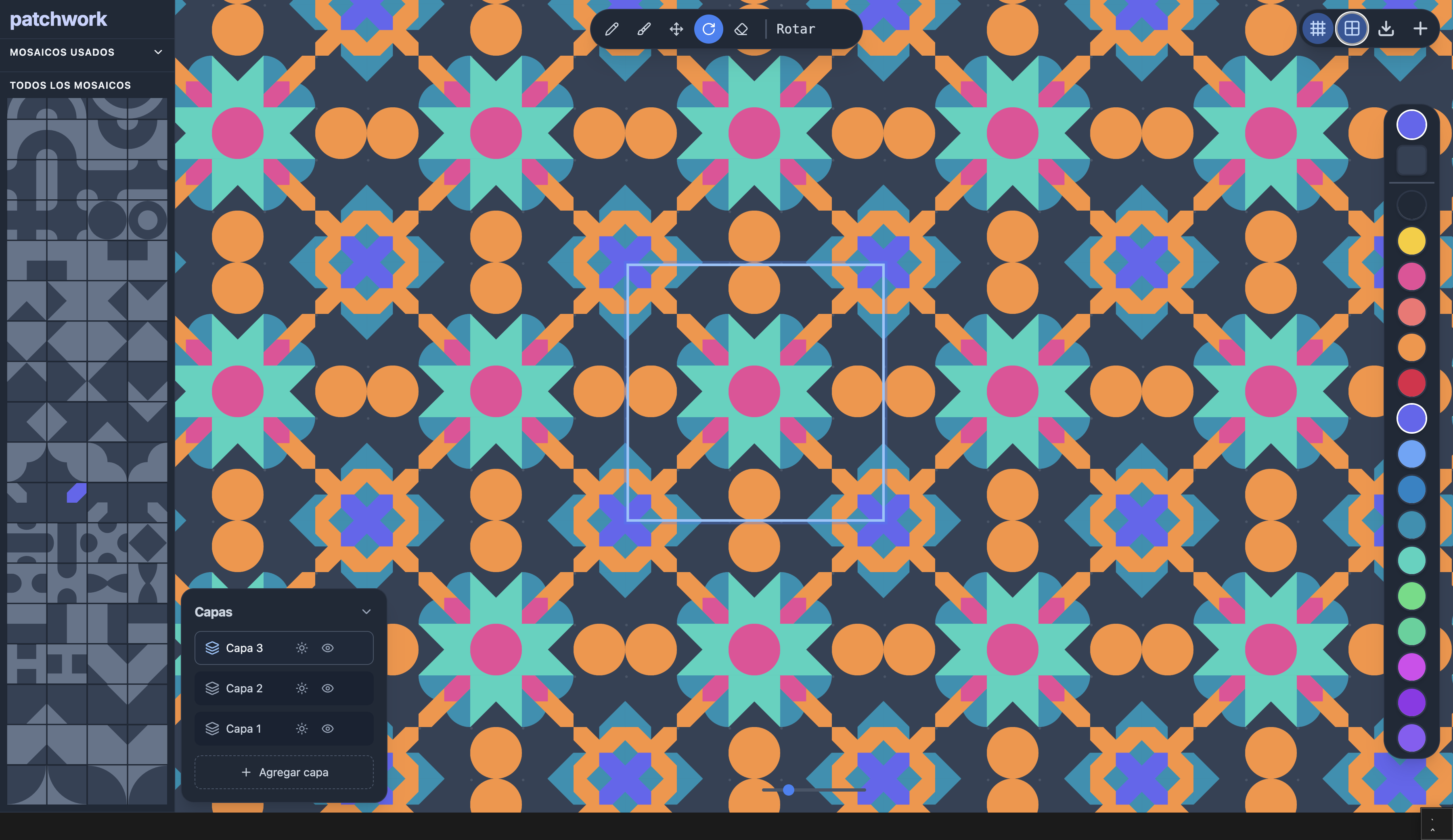
Once the motif works locally, the repeat view reveals whether it also works globally. The second screenshot shows the pattern extended across the canvas: orange connectors lock the grid together, circles create rhythm between modules, and the flower-like center keeps the eye moving diagonally and vertically at the same time.
3. Hide and dim layers to read the structure
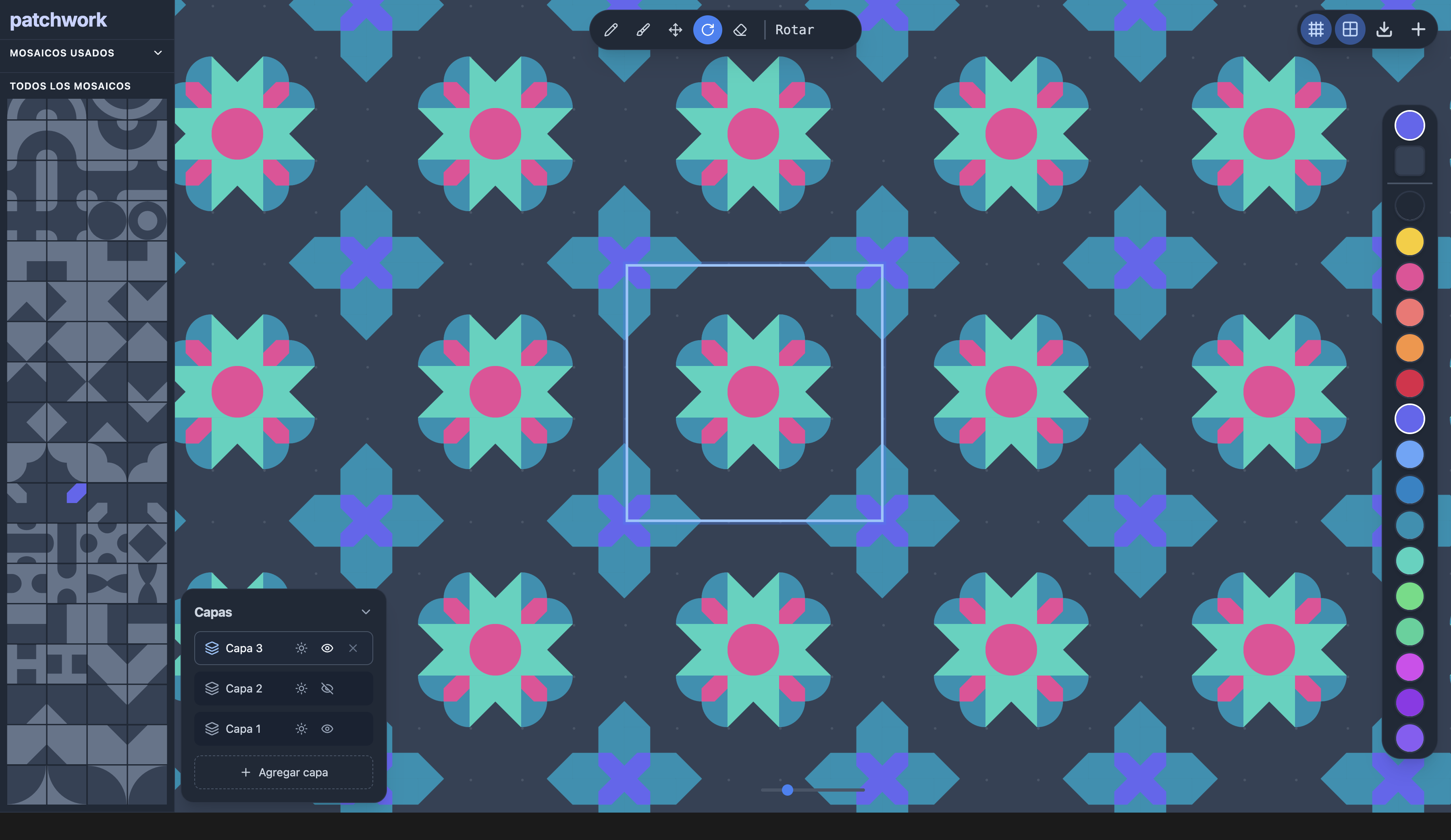
Hiding layers is more than a visibility toggle — it is a way to debug the composition. Start by hiding a single accent layer: the repeat keeps most of its character, but you can already judge the spacing and the supporting geometry more clearly. Hide the upper layers entirely and the base drawing stands alone, which is where you check whether the repeat still holds and whether the underlying structure is strong enough by itself. Dimming a layer with the sun toggle does the same thing more gently, pushing it into the background so you can compare it against the layers you want to focus on.
Why this matters
Layers turn pattern design into an iterative process. You can sketch the skeleton on one layer, place secondary forms on another, and reserve a final layer for color accents or corrections without collapsing everything into one irreversible surface.
Pattern repeat then becomes a test, not a leap of faith. If the motif survives repetition and still reads clearly when some layers are hidden or dimmed, the composition is doing real work rather than relying on decoration alone.